

If your eyes ache by mid afternoon, the problem is usually not your screen. It is what is happening around your screen.
Eye strain at a desk comes mostly from contrast and glare: a bright window behind a dark monitor, a lamp reflecting off the display, a dim room with one blazing screen in the middle of it. Your eyes spend all day adjusting between extremes. Fix the light around the screen and most of the discomfort goes with it.
This is a different problem from lighting a bedroom or a kitchen, and it deserves its own approach.
Rule one: never put your desk facing a window, or backing one
Where the desk sits matters more than any fixture you buy.
Facing a window means the window is directly behind your monitor. Your screen is now a dark object in front of a bright rectangle, and your eyes fight that contrast all day.
Backing a window means the window reflects off your screen, and you spend the afternoon looking at a mirror image of your own room.
Put the window to the side of your desk. Daylight arrives across the work surface rather than into your eyes or onto your screen. This one change costs nothing and fixes more than any lamp will.
Rule two: light the room, not just the desk
The instinct is to buy a bright desk lamp and call it done. That makes things worse.
A bright pool of light in an otherwise dark room creates exactly the contrast problem you are trying to avoid. Your pupils narrow for the bright desk and then have to widen every time you look away.
What you want is a reasonably lit room with a slightly brighter work surface. The room gets ambient light from the ceiling. The desk gets task light on top of that. The difference between them should be gentle.
For the ambient layer, a flush or semi flush ceiling fixture spreads light evenly without hanging into a room that is often small. The Ashton Square Ceiling Light, from $499, works well in a home office for this reason. Browse more in flush mount ceiling lights.
Rule three: the desk lamp goes on the opposite side to your writing hand
Small detail, real difference. If you are right handed, the desk lamp goes on the left. Otherwise your own hand casts a shadow across whatever you are writing.
The lamp should also be positioned so you cannot see the bulb from your seated position, and so it does not reflect off the screen. Adjustable heads earn their money here, because you can aim light at paper and away from glass.
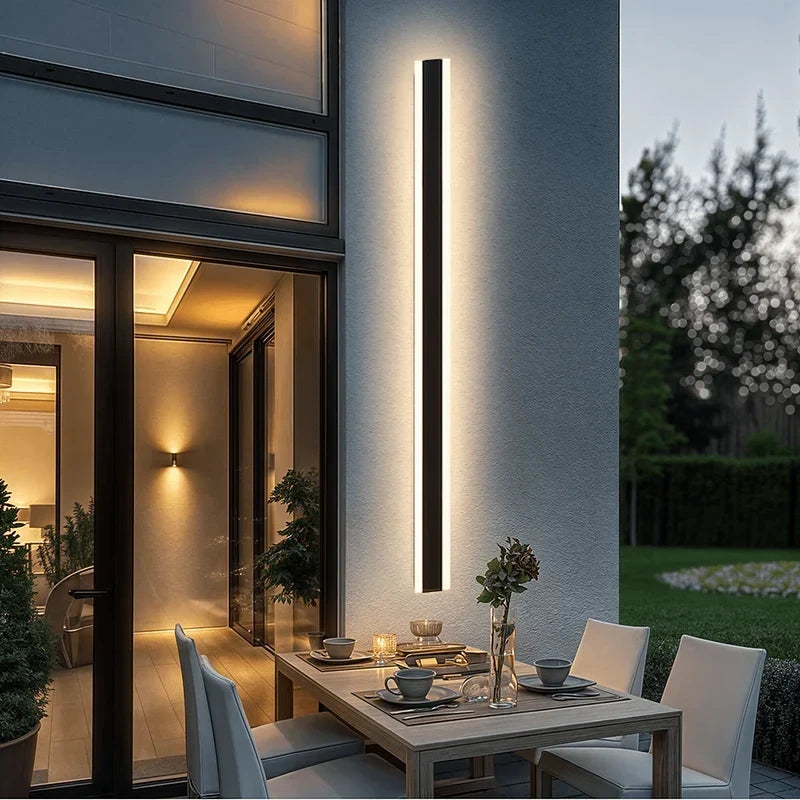
If desk space is tight, a floor lamp beside the desk does the same job without taking the surface. If it is tighter still, a wall light frees the desk completely and can be aimed. The Sabizter Glass Wall Lamp, from $299, works in this position.
See table and floor lamps and wall lamps for options, or the dedicated office lighting collection.
Rule four: kill the reflections you have stopped noticing
Sit at your desk, turn the screen off, and look at it. Whatever you can see reflected in the black glass is what your eyes have been fighting all day.
Usually it is a window, a ceiling fixture directly overhead, or a lamp behind you. Move it, aim it elsewhere, or change the angle of the screen.
Bare bulbs are the biggest offender. A fixture with a shade, a diffuser or frosted glass produces light you can work under. A bare filament in your peripheral vision is a small sun you cannot look away from.
Colour temperature: cooler than a bedroom, warmer than a hospital
This is where home offices differ from the rest of the house.
Neutral white, roughly 3500K to 4000K, is the sweet spot for focused work. It is alert without being harsh, and it keeps colour reasonably accurate if you do anything visual.
Warm white at 2700K to 3000K is comfortable but can feel sleepy for concentration. It is a reasonable choice if your office doubles as a guest room or sits in an open living space where a cool light would look wrong.
Very cool light, 5000K and above, is stimulating but harsh in a domestic room, and it makes a home office feel like a waiting room.
The best answer for a room that is an office by day and part of your home by night is dimmable, and ideally adjustable. NYRA fixtures can be specified in warm, neutral or cool white, and can be made dimmable with a compatible dimmer switch.
One caution worth taking seriously: if you work late, cool bright light in the evening is not neutral. It is stimulating at exactly the point you want to be winding down. Dimming and warming your office light after dark is a small thing that makes a real difference to how you sleep.
Rule five: light the wall behind your screen
This is the trick most people have never heard of and it works immediately.
Put a small amount of light on the wall behind your monitor. A lamp on a nearby shelf, a wall light, anything that lifts that surface out of darkness.
It reduces the contrast between the bright screen and the dark wall behind it, which is one of the main drivers of screen fatigue. It costs almost nothing and you will notice it the same day.
If you are on video calls
Everything above is about your comfort. This is about how you look.
Light on your face, from in front, at roughly face height. Not above, which gives you eye sockets like a Halloween mask. Not behind, which turns you into a silhouette.
A window in front of you is free and better than most equipment. If your window is to the side, a lamp on the other side balances it out. A lit mirror also works surprisingly well as a face light if your desk is near one.
A checklist
-
Move the desk so the window is to the side.
-
Add ambient ceiling light so the room is not a dark box.
-
Add a task light, opposite your writing hand, shaded, aimed away from the screen.
-
Turn off the monitor and remove whatever you see reflected in it.
-
Put a little light on the wall behind the screen.
-
Set neutral white for work, and dim or warm it after dark.
-
If you are on calls, get light in front of your face.
Not sure what fits your room?
Home offices are usually the smallest room in the house doing the most demanding visual work, which makes fixture scale and glare control genuinely tricky. NYRA offers free one to one video consultations. Send your room dimensions, ceiling height and a photo of your desk setup, and the team will recommend fixtures and placement.
Browse office lighting, or book a free consultation.
FAQ
What is the best colour temperature for a home office?
Neutral white, roughly 3500K to 4000K, for focused work. Warm white is more comfortable but can feel sleepy. Very cool light above 5000K tends to feel harsh in a home. Dimmable is best if the room doubles as living space.
Where should a desk lamp go?
On the opposite side to your writing hand, so your hand does not shadow your work. Position it so you cannot see the bulb while seated, and so it does not reflect off your screen.
Why do my eyes hurt when I work from home?
Usually contrast and glare rather than the screen itself. A bright window behind your monitor, a dark room with one bright screen, or a reflection off the display are the common causes. Lighting the room and the wall behind the screen reduces all three.
Should my desk face a window?
No. A window directly in front of you sits behind your monitor and creates harsh contrast. A window directly behind you reflects off the screen. Put the window to the side of the desk.
Do I need a ceiling light in a home office?
Yes, or some other ambient source. A bright desk lamp in a dark room creates the contrast problem you are trying to avoid. The room should be reasonably lit, with the desk slightly brighter.


Leave a comment
All comments are moderated before being published.
This site is protected by hCaptcha and the hCaptcha Privacy Policy and Terms of Service apply.